
Guides › Quitting an app
How to stop spending money on gacha games
8 min read
Put friction between you and the shop, and decide your number before a banner drops, not while it's on screen. Remove the payment method from your Apple Account, cancel the monthly pass if it renews, and turn off Installing Apps so a new character can't pull a deleted game back. iPhone has no "spend at most $20 a month" switch for adults, but there's a workaround below that acts like one.
Why gacha spending is so hard to stop
It isn't weak willpower. Gacha games stack several well-known pulls on top of each other:
- Random rewards. Most pulls are nothing special, now and then one is great, and you can't tell which is next. Unpredictable rewards produce some of the most persistent behaviour there is.
- The "so close" pull. In a slot-machine study, near-misses felt worse than clear misses yet made people want to keep playing, and lit up brain areas that respond to real wins (Clark et al., 2009). A golden glow that turns out to be the wrong character works the same way. In a random draw, close is still a miss.
- Pity counters. Being 60 pulls into pity makes stopping feel like throwing those pulls away. They're spent either way; finishing the climb only adds the rest of the cost.
- "Limited" banners. The countdown makes you decide fast. Many "limited" units come back in reruns, so the real choice is often now or later, not now or never.
- "It's due." Each pull is drawn at the same rate as the last, except where a pity system says otherwise. A dry streak doesn't make the next pull likelier.
- Gems hide the price. Currency bundles and odd pack sizes make it hard to turn a pull back into money. A 0.6% rate works out to about one hit per 167 pulls on average.
Why gacha games are so hard to quit →
How to stop spending money on gacha games
1. Remove the payment method from your Apple Account
A saved card is what makes a top-up take two seconds. Apple's steps on iPhone:
- Open Settings and tap your name.
- Tap Payment & Shipping (you may need to sign in), then Edit.
- Tap the delete button next to the card, then Remove.
Now every purchase means finding your card and typing it in, which is often long enough for the banner glow to wear off. Apple notes two cases where you can't remove the last method: if you have subscriptions like iCloud+, and if you're a Family Sharing organizer with purchase sharing on.
2. Turn your Apple Account balance into a budget
This is the closest thing to a spending cap. Apple charges your Apple Account balance first, and only goes to your payment method if the balance can't cover the full amount. So if no card is on file and you add a fixed amount of balance each month — say, with an Apple Gift Card — that balance is all you can spend. When it's gone, it's gone until next month. (If a card is still on file, Apple will charge it once the balance runs short, so this only works together with step 1.)
3. "Set a spending limit on iPhone": what exists and what doesn't
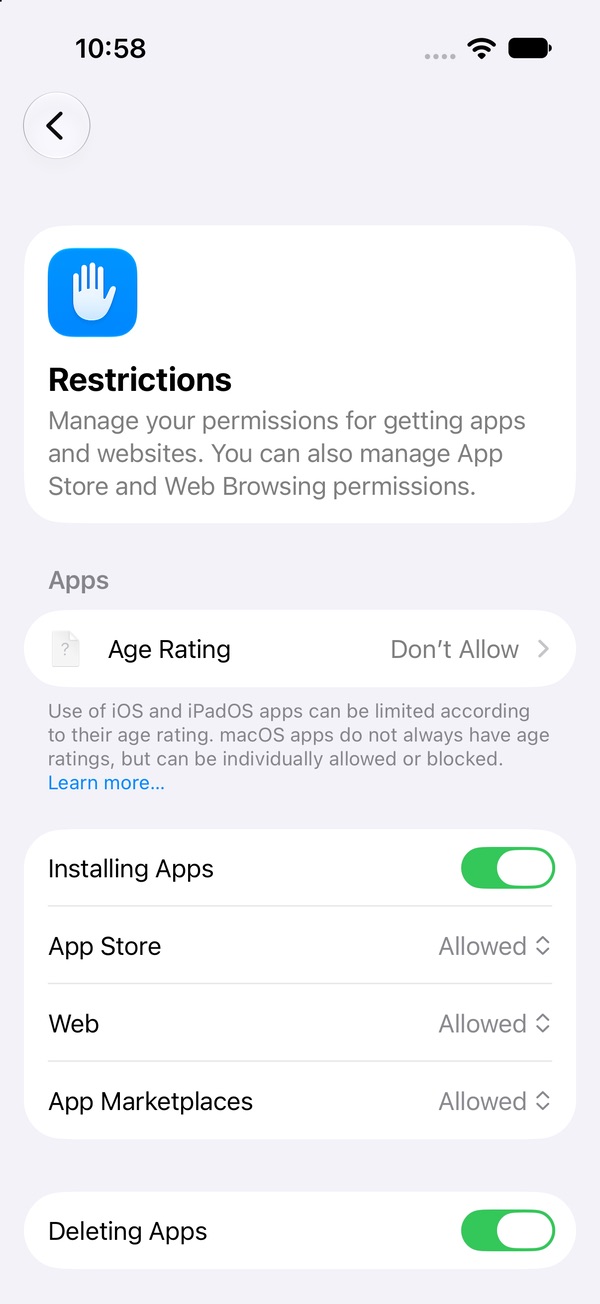
- Blocking in-app purchases. Screen Time can switch in-app purchases off entirely rather than cap them. Apple's guide places the control under Content & Privacy Restrictions › iTunes & App Store Purchases, but on iOS 27 the install and delete switches have moved to Apps & Websites › Restrictions; we're re-checking where In-app Purchases sits on iOS 27 and will update this page. Like every Screen Time setting, it only holds if someone else sets the passcode.
- Ask to Buy is for children. It lets a Family Sharing organizer or parent approve a child's purchases. Apple doesn't present it as something an adult can turn on for their own account, so it isn't a fix here.
4. Decide your number before the banner drops
The worst time to decide how much to spend is with the banner on screen and the timer running. Do the maths once, on a calm day: take the pity count for the unit you'd chase and multiply it by what one pull costs in real money. Write that number down. Then set your monthly amount — zero is allowed — and make the rule specific: "Only from this month's balance. No top-ups during a banner." Games on the App Store that sell randomized items have to show the odds before you buy, so the rates are there to look up.
5. "I already paid for the monthly pass"
This one keeps a lot of people logging in. The pass is paid for, so skipping a day feels like wasting money. But the money is gone whether you log in or not; daily logins don't refund it, they just keep the habit warm for the next purchase. If the pass is an auto-renewing App Store subscription, cancel it now: Settings › your name › Subscriptions, tap it, Cancel Subscription. If it's a one-off purchase, just decide not to buy the next one. Let it run out. It's the cheapest exit you'll get.
6. Break the uninstall–reinstall loop for a new character
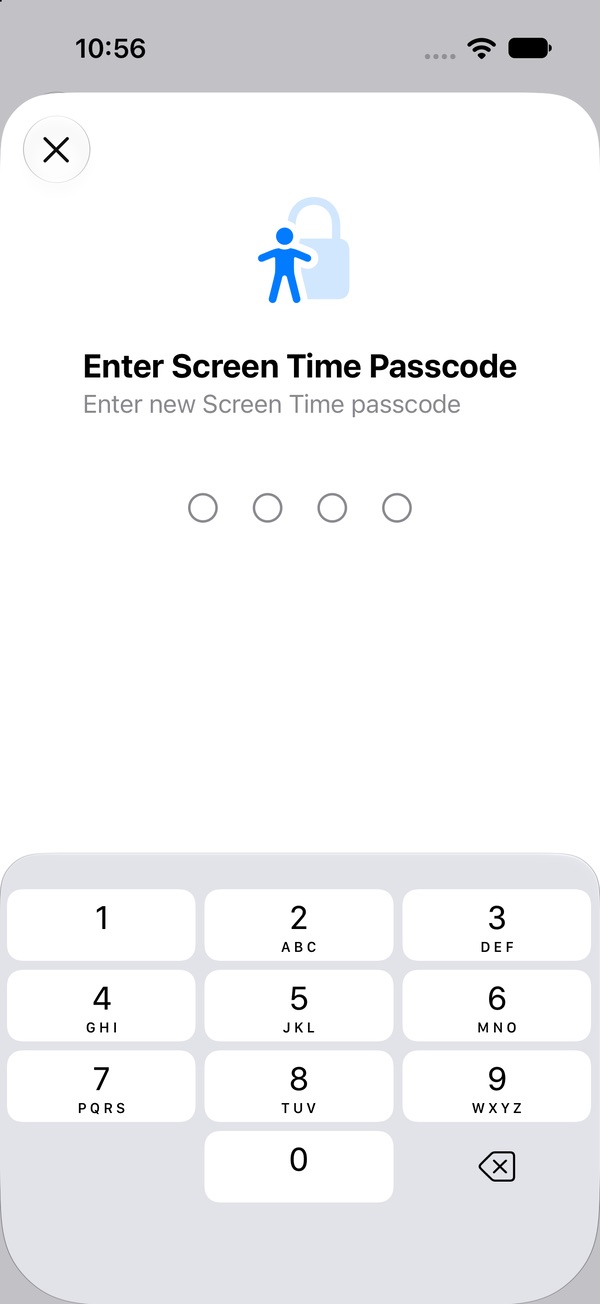
You delete the game, then a trailer for a new character shows up and it's back on your phone in a minute. Make the reinstall hard instead: in iOS 27, go to Settings › Screen Time › Apps & Websites › Restrictions and turn off Installing Apps, then have someone else set the Screen Time passcode. During banner weeks, mute the game's social accounts and skip the community feeds — that's where the "now or never" feeling gets topped up.
Deleted it and reinstalled it again? → · Stop yourself reinstalling apps →
7. Cap the playtime, too
Less time in the game means fewer banners seen. A daily allowance on the Games category (Settings › Screen Time › Time Allowances) covers every game at once, and iOS says new apps inherit their category's allowance, so a game you install next month is covered without you doing anything. Juggling several games' dailies? Drop the one you enjoy least first. Fewer dailies is the fastest way to get your evenings back. How to set Time Allowances →
Can I get a refund for gacha purchases?
You can ask. Apple says some purchases might be eligible for a refund: go to reportaproblem.apple.com, sign in, choose to request a refund, pick a reason, and select the item. Apple has to approve it, and eligibility varies by country or region, so don't count on it. The same site lists your purchases, which is a quick way to get one honest number for what a game has cost you.
After a big spend
The urge right after a bad run is to pull again and "make it count." That's loss chasing, and it's how one bad pull becomes ten: the rates don't change because you've spent. Use the frustration as the stop sign. Put the phone down, leave the room, and come back to the plan tomorrow. The loss is real, but stopping is how it stays the size it is. What to do after a slip →
Lock the game before the next banner
Payment settings, a balance budget, install blocks, a passcode someone else holds — they all add friction, and they all take setting up. Pactroll locks the games you pick and keeps them locked until you decide otherwise, so a new banner doesn't get a one-tap path back in. When the pull hits, tap "I feel the urge": a short guided break to name what's going on, then five minutes doing something else. Tell Pactroll gacha games are what pull you in, and its Toolkit covers how they're built to hook you.
Get Pactroll on the App StoreFAQ
How do I stop spending money on gacha games?
Add friction and decide in advance. Remove the payment method from your Apple Account so every purchase needs a card typed in, set your spending number before a banner drops, cancel any auto-renewing pass, and turn off Installing Apps in Screen Time so a new banner can't pull a deleted game back.
Can I set a spending limit on my iPhone?
Screen Time's purchase controls allow or block purchases rather than cap them at an amount. One thing that works like a budget: Apple charges your Apple Account balance first, so if you remove your cards and add a fixed amount of balance, that balance is all you can spend. Apple says you must keep a payment method on file if you have subscriptions like iCloud+.
Can I turn on Ask to Buy for myself?
Apple describes Ask to Buy as a Family Sharing feature for children: the family organizer or a parent or guardian approves a child's purchases. It isn't presented as an option for adults to use on their own accounts.
Can I get a refund for in-app purchases on iPhone?
You can ask. Apple says some purchases might be eligible for a refund: sign in at reportaproblem.apple.com, choose to request a refund, pick a reason and the item. Apple has to approve it, and eligibility varies by country or region.
I already bought the monthly pass. Should I keep logging in so it isn't wasted?
The money is spent either way; logging in every day doesn't bring it back, it just keeps the daily habit going. If the pass renews automatically, cancel it now in Settings › your name › Subscriptions and let it run out.