
Guides › Screen Time
How to stop yourself reinstalling (or deleting) apps on iPhone
Takes about 3 minutes to set up · 5 min read
Deleted TikTok and had it back by bedtime? Take the reinstall off the table. In iOS 27: Settings › Screen Time › Apps & Websites › Restrictions, turn off Installing Apps — and turn off Deleting Apps while you're there. Then lock Screen Time with a passcode someone else holds. Without that last step, you can flip the switch back in ten seconds.
Why deleting the app isn't enough
Deleting an app feels decisive. Reinstalling it takes about as long as the craving does. Lots of people describe the same loop — delete, reinstall, delete again, sometimes several times a year. The problem isn't you; it's that the way back is one search away. Turning off installs makes the way back slow.
How to block app downloads on iPhone (iOS 27)
- Delete the apps you're done with first.
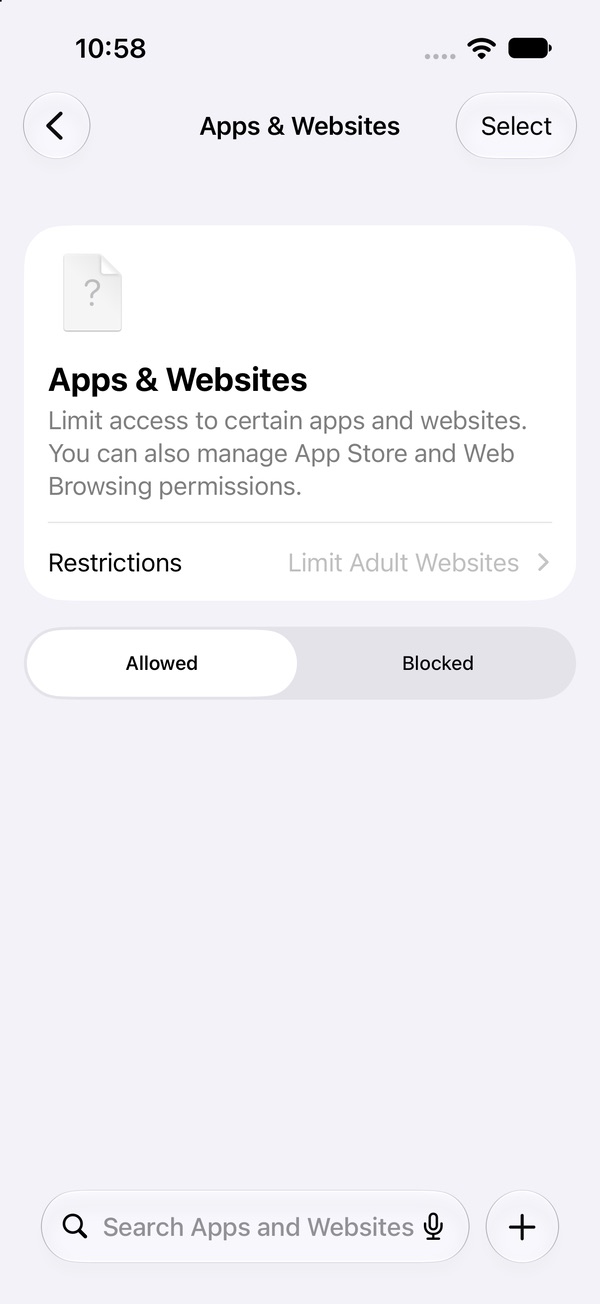
- Open Settings › Screen Time › Apps & Websites.
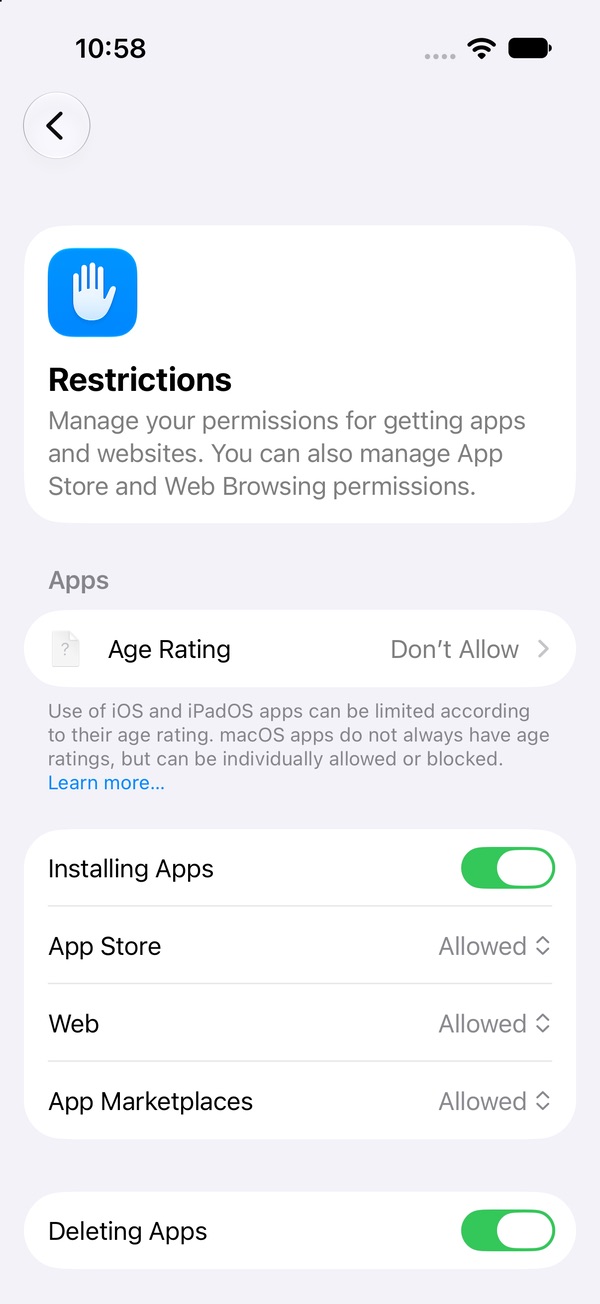
- Tap Restrictions ("Manage your permissions for getting apps and websites").
- Turn off Installing Apps. The rows under it — App Store, Web and App Marketplaces — are the places apps come from, each set to Allowed or Don't Allow.
- Turn off Deleting Apps too (more on why below).
- Lock it: set a Screen Time passcode someone else types.
Before iOS 27 these switches lived under Content & Privacy Restrictions › iTunes & App Store Purchases. That's why older guides send you to the wrong screen.
The catch: it blocks every install
This isn't a TikTok-only switch. With Installing Apps off, you'll have to turn it back on — with the passcode — to install anything new, then turn it off again. If someone else holds the code, that means asking them. Annoying for a new banking app; exactly the point for the app you keep reinstalling.
Why turn off Deleting Apps too?
Two reasons. If you use a blocker app — including Pactroll — deleting it removes its lock. With Deleting Apps off and someone else holding the Screen Time passcode, that exit is closed. And it stops the "delete it in a dramatic moment, reinstall it in a weak one" swing, because neither half is a quick tap anymore.
Order matters. Install anything you want to keep (a blocker, a new app you actually need) and delete what you're quitting before turning both switches off.
Block the website version, too
No app? Many people just open the site in Safari. On the Apps & Websites page:
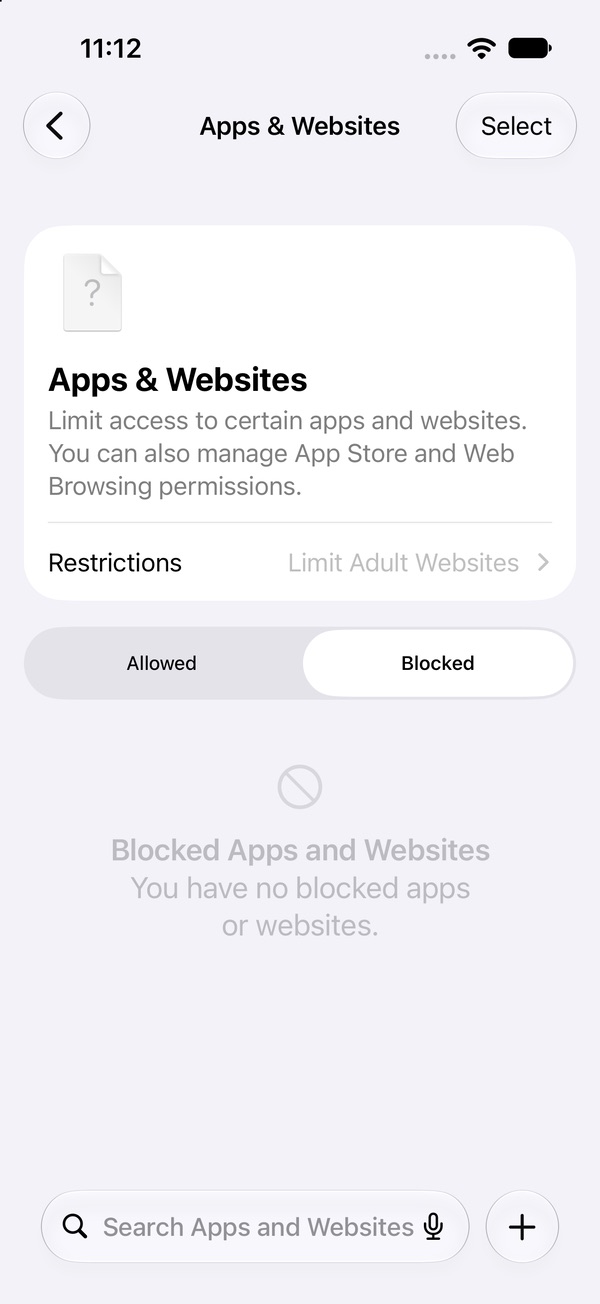
- Tap the Blocked tab. This list holds the apps and websites you've blocked.
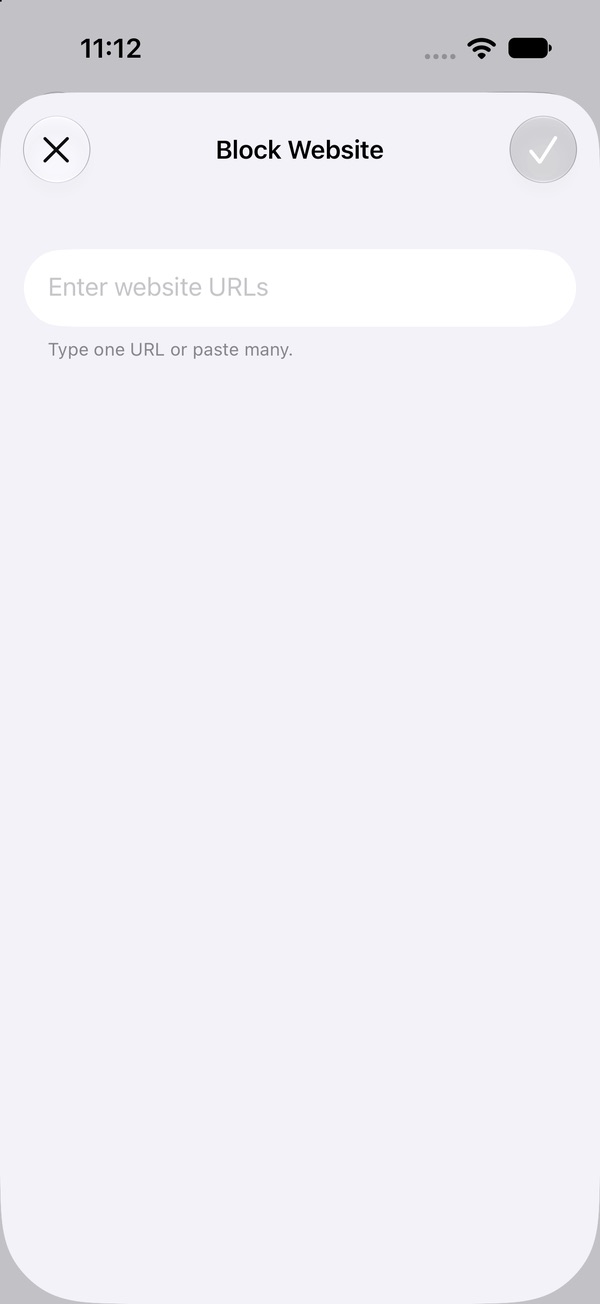
- Tap + next to the search bar. A Block Website sheet opens.
- Type one URL or paste several (for example tiktok.com), then tap ✓.
Lock it, or it's a speed bump
Anyone who knows the Screen Time passcode can turn Installing Apps back on. If that's you, it's one more step in the reinstall, not a stop. Hand the phone to a roommate, partner or sibling, let them set the code under Manage Screen Time › Lock Screen Time Settings, and have them use their Apple Account for passcode recovery. Step-by-step →
Rather keep the apps and just lock them?
Delete the apps, Apps & Websites, Restrictions, Installing Apps off, Deleting Apps off, a website block list, a passcode someone else holds — and then asking them every time you need a new app. Pactroll is less drastic: pick the apps, tap lock, done. They stay on your phone and stay locked until you decide to unlock them, even when Pactroll is closed. Pair it with Deleting Apps off and someone else holding the Screen Time passcode, and that closes the delete-the-blocker gap.
Get Pactroll on the App StoreFAQ
How do I block the App Store on iPhone?
Settings › Screen Time › Apps & Websites › Restrictions, then turn off Installing Apps. The rows under it cover App Store, Web and App Marketplaces. Lock it with a passcode someone else holds.
How do I stop redownloading TikTok?
Delete it, turn off Installing Apps, and have someone else set the Screen Time passcode. Without the code, you can't switch installing back on.
How do I install an app after turning off Installing Apps?
Turn Installing Apps back on with the passcode, install the app, then turn it off again. If someone else holds the code, ask them.
Can I stop myself deleting an app blocker?
Yes — turn off Deleting Apps on the same screen and lock it with a passcode someone else holds. Deleting a blocker like Pactroll removes its lock, so this closes that gap.
Where did iTunes & App Store Purchases go in iOS 27?
The install and delete switches are now Installing Apps and Deleting Apps, under Settings › Screen Time › Apps & Websites › Restrictions.