
Guides › Quitting an app
How to stop online shopping on your phone (TikTok Shop, Temu, live auctions)
7 min read
The fix is to make buying slower than wanting. Remove saved cards and one-tap pay, turn off shopping notifications, log out of the apps that get you, and give everything a 24-hour wait on a wishlist. Then back it up on your iPhone: a daily Time Allowance for shopping apps, and a block on installs so deleted apps stay deleted. None of it requires a lecture about money — just a few more steps between "ooh" and "order placed."
Why it's hard to stop buying things online when you're bored
Shopping on your phone isn't one decision. It's dozens of small nudges, each designed to shorten the gap between seeing and buying:
- One tap takes the sting out of paying. In a classic study, people told they'd pay by credit card were willing to pay considerably more than people told to pay in cash (Prelec & Simester, 2001). A saved card or one-tap checkout shrinks that moment even further.
- The clock is a sales tool. A crawl of about 11,000 shopping sites found countdown timers in use — and on some sites, the "deal" was still there after the timer hit zero (Mathur et al., 2019). Live auctions run on the same pressure: going, going, gone.
- Bored or low is when it's easiest. Browsing gives a quick lift: something new, something to look forward to. That's a loop, not a flaw in you.
So the fixes below don't ask you to resist harder. They put the brakes back that checkout design took out. Why online shopping is so hard to stop →
How to stop impulse buying: 8 fixes
1. Remove saved cards and one-tap payment
This is the single biggest speed bump. Go into each shopping app's account or payment settings and delete the saved card. Do the same for any cards your browser saves for autofill. If you pay with Apple Pay in shopping apps, you can remove that card from Wallet: open Wallet, tap the card, then Card Details › Remove Card (Apple says you can add it back later). Typing the numbers each time gives you a minute to ask whether you want the thing or just the click.
2. Turn off shopping app notifications
Flash sales, price drops, "your cart misses you," a live auction starting now — every alert is an invitation back in. Go to Settings › Notifications, tap each shopping app, and turn off Allow Notifications. For apps where shopping lives inside something else (like TikTok), look in the app's own notification settings for the shopping and live alerts; menus change often.
3. Log out — or delete the account
Log out after every order you actually meant to place. A password between you and the shop is a small, real barrier. If one app keeps winning, go further and delete the account. The steps differ from app to app and change often, so look for account deletion in the app's own settings or help center. Save any order history, warranties or open returns first.
4. Use a 24-hour rule (wishlist, not cart)
When you want something, don't add it to the cart. Write it down with its price — in a notes app, on paper, anywhere outside the shop — and look again tomorrow. If you still want it at that price, buy it, no guilt. If the urge has gone, it was the moment, not the thing. For live auctions, the rule is simpler: no bidding live. If it's still on your mind tomorrow, look for it at a fixed price.
5. Unsubscribe from marketing emails and texts
Sale emails do the same job as notifications, just in your inbox. Use the unsubscribe link at the bottom of each one, and the opt-out instructions in marketing texts. Ten minutes of unsubscribing removes months of "last chance" messages.
6. Give shopping apps a daily Time Allowance
Less time browsing means fewer moments to buy. In iOS 27, App Limits are now Time Allowances. Make a category for your shopping apps: Settings › Screen Time › Time Allowances › Manage Categories › + › Custom, name it "Shopping," tick the apps, tap Continue, and set a small daily allowance.
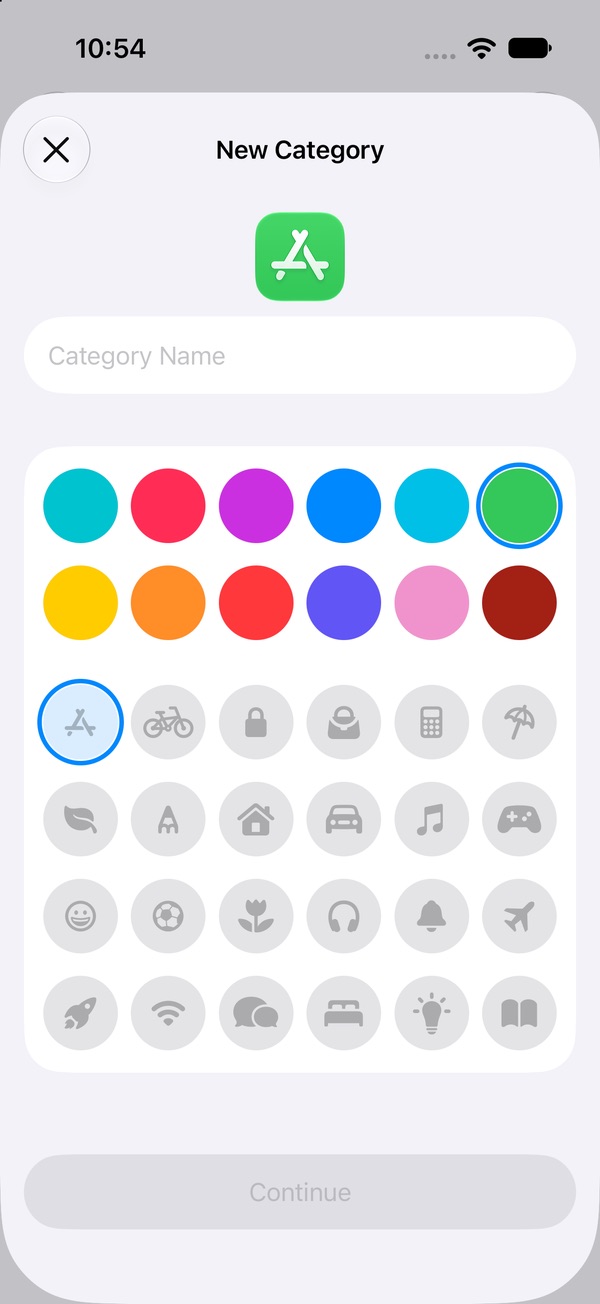
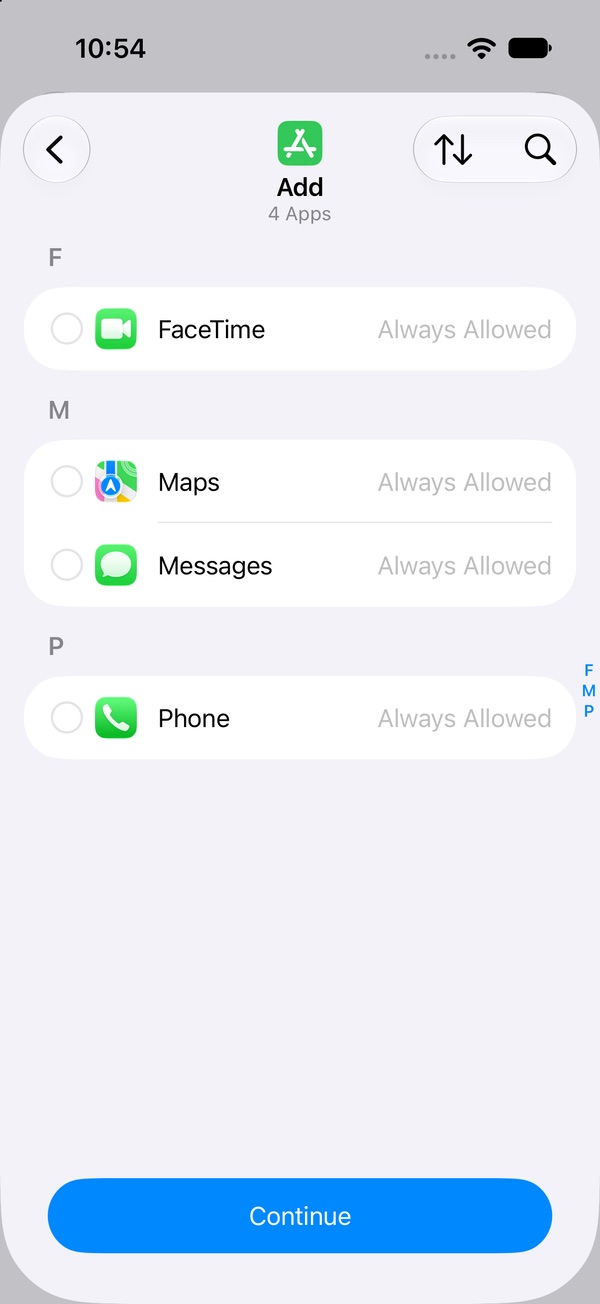
One catch with TikTok Shop: Screen Time sees TikTok as one app, so a limit on TikTok covers the Shop and the feed together. We're re-checking the "time's up" screen on iOS 27 and will update this page. How to set Time Allowances →
7. Block installs so deleted apps stay deleted
Deleting Temu works until the next 2 AM search. In iOS 27, go to Settings › Screen Time › Apps & Websites › Restrictions and turn off Installing Apps. Then have someone else set the Screen Time passcode (Manage Screen Time › Lock Screen Time Settings), so you can't flip it back on alone.
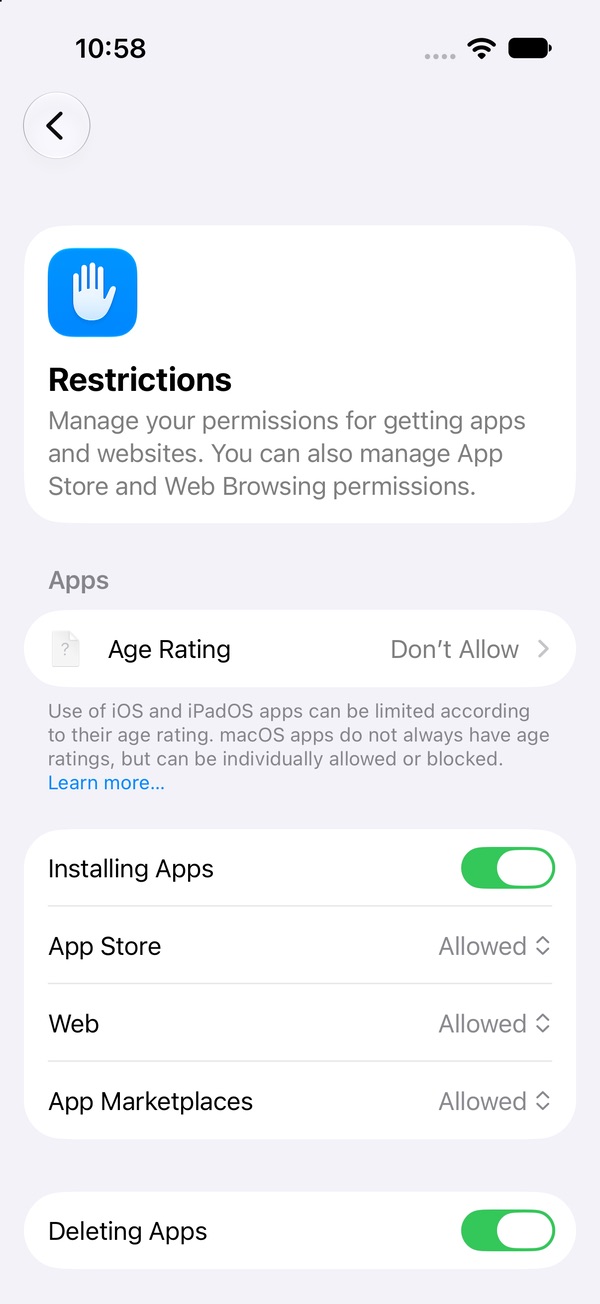
Stop yourself reinstalling apps → · Set a passcode that holds →
8. Name the feeling before you open the app
Before you tap the shop, put one word on what's going on: bored, low, stressed, tired — or do I actually need something? If it's a feeling, ask what else might meet it: a walk, a message to a friend, an early night. An if–then rule makes it automatic: "If I reach for a shopping app, then I say out loud what I'm feeling first." What to do when the urge hits →
The money side, kept practical
- Get one number. Open the order history in each app and add up the last month. Not to feel bad — just to know.
- Add up pay-later plans. If you use buy-now-pay-later, total every plan you have open right now. Several small ones can hide a big one.
- Return what you can. Anything still in its return window and unopened can go back. That's not failure; it's a refund.
After a splurge
One big order doesn't undo the weeks you didn't buy. Skip the shame spiral — it tends to send people back to the app for a lift. Return what you can, look at what set it off (a notification, a bad day, a live you stumbled into), and close that one gap. What to do after a slip →
Lock the shop, keep the pause
Saved cards, notifications, logins, allowances, install blocks — every one of them is a speed bump you have to build and maintain. Pactroll locks the shopping apps you pick and keeps them locked until you decide otherwise. When you reach for one anyway, "I feel the urge" gives you a short guided break: name what's going on, then five minutes doing something else. If the urge is still there after two rounds, the apps open for 15 minutes and lock again on their own. Tell Pactroll shopping is what pulls you in, and the Toolkit includes how shopping apps are built to hook you.
Get Pactroll on the App StoreFAQ
How do I stop impulse buying online?
Make buying slower than wanting. Remove saved cards and one-tap payment from your shopping accounts, turn off shopping app notifications, log out after each order, and put anything you want on a wishlist for 24 hours before you buy it.
How do I stop buying things on Temu or TikTok Shop?
Turn off the app's notifications in Settings › Notifications, remove your saved card, and log out or delete the account (look in the app's own settings or help center). On iPhone, Screen Time treats TikTok as one app, so a Time Allowance on TikTok limits the Shop and the feed together.
Why do I shop online when I'm bored?
Browsing gives a quick lift: something new to look at and something to look forward to. Shopping apps are built to turn that browsing into buying with alerts, countdowns and one-tap checkout. Naming the feeling before you open the app helps you see whether you need something or just a break.
How do I stop myself reinstalling shopping apps?
In iOS 27, go to Settings › Screen Time › Apps & Websites › Restrictions and turn off Installing Apps, then let someone else set the Screen Time passcode so you can't switch it back on alone.
What is the 24-hour rule for shopping?
When you want something, write it down with its price instead of buying it, and look again tomorrow. If you still want it at that price, buy it. If the urge is gone, it was the moment, not the thing.